Chrome extension for front-end developers
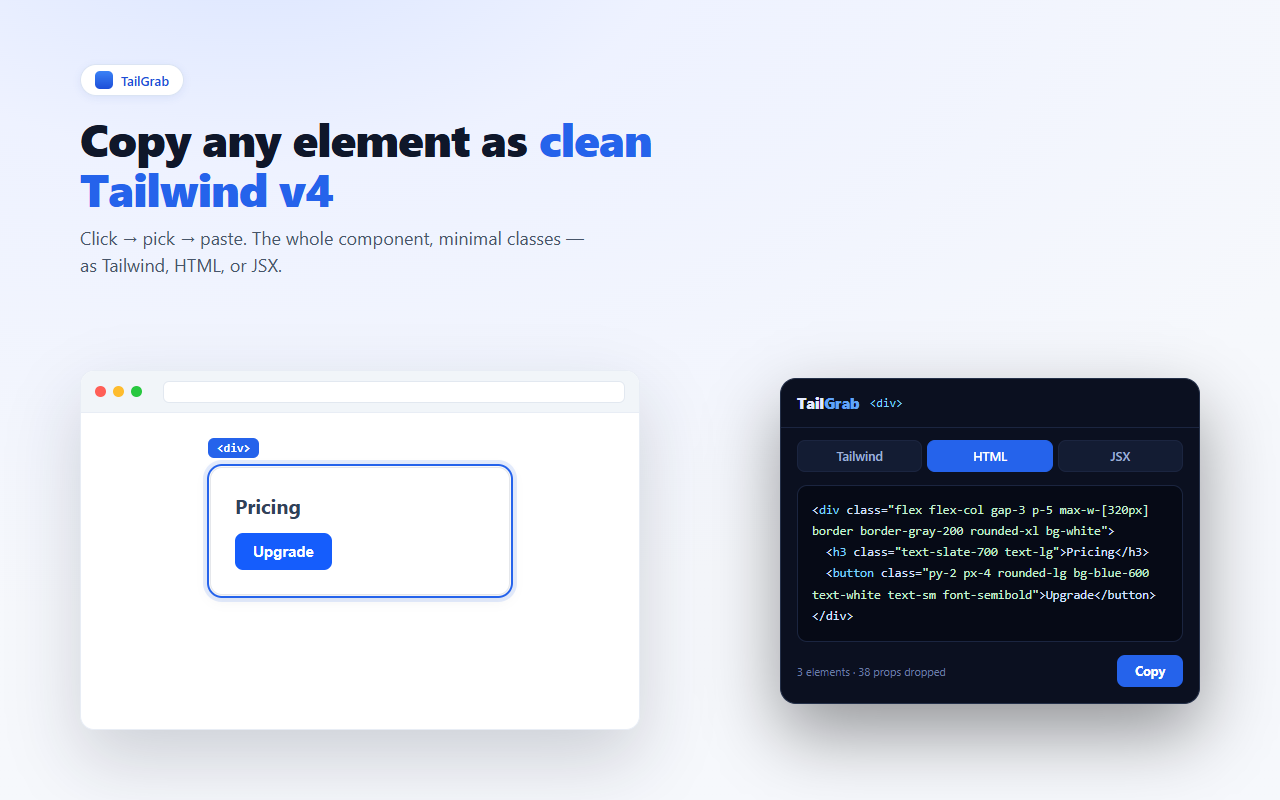
Copy any element as clean Tailwind v4
Click any element on any page and get minimal, paste-ready Tailwind — the whole component, as HTML or JSX. Pixel-accurate.
Click any element on any page and get minimal, paste-ready Tailwind — the whole component, as HTML or JSX. Pixel-accurate.
Most tools dump every computed property. TailGrab keeps only what matters.
Only the styles the element actually overrides — never pages of noise.
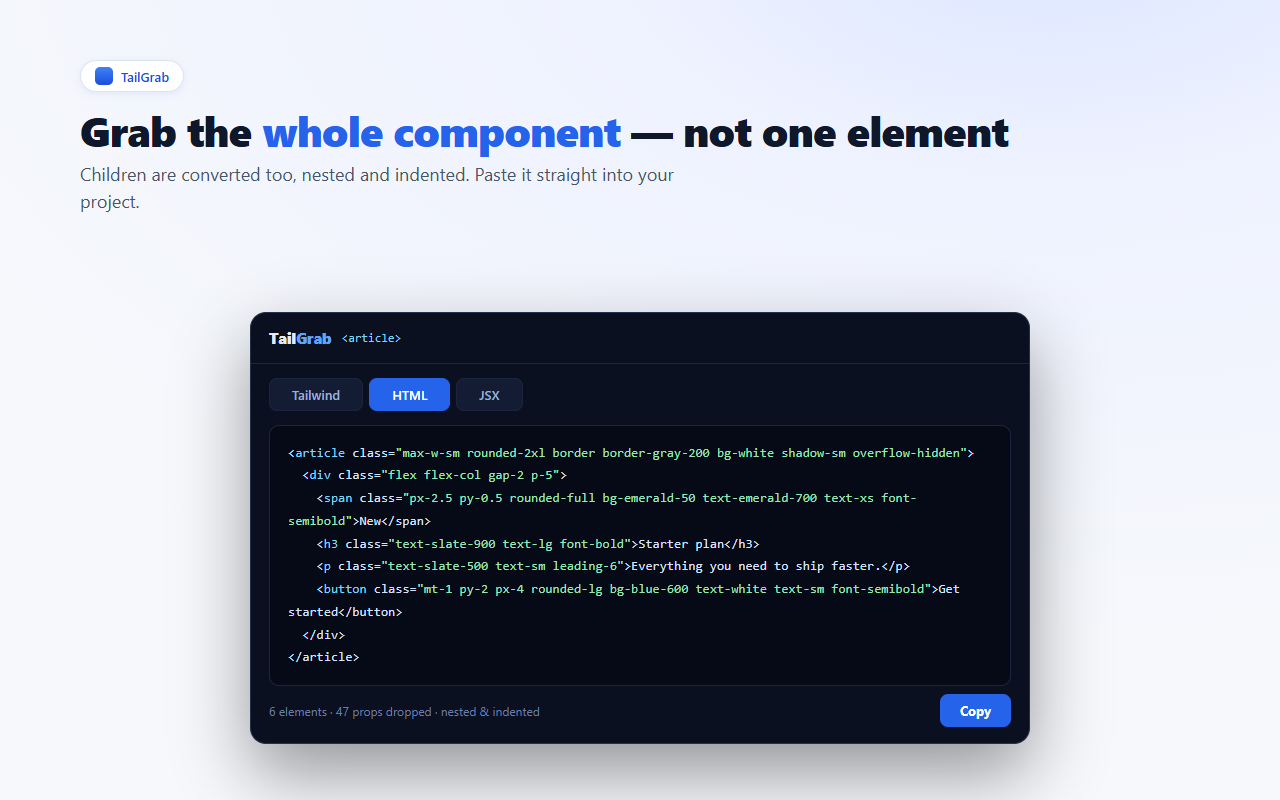
Children are converted too, nested and indented, ready to paste.
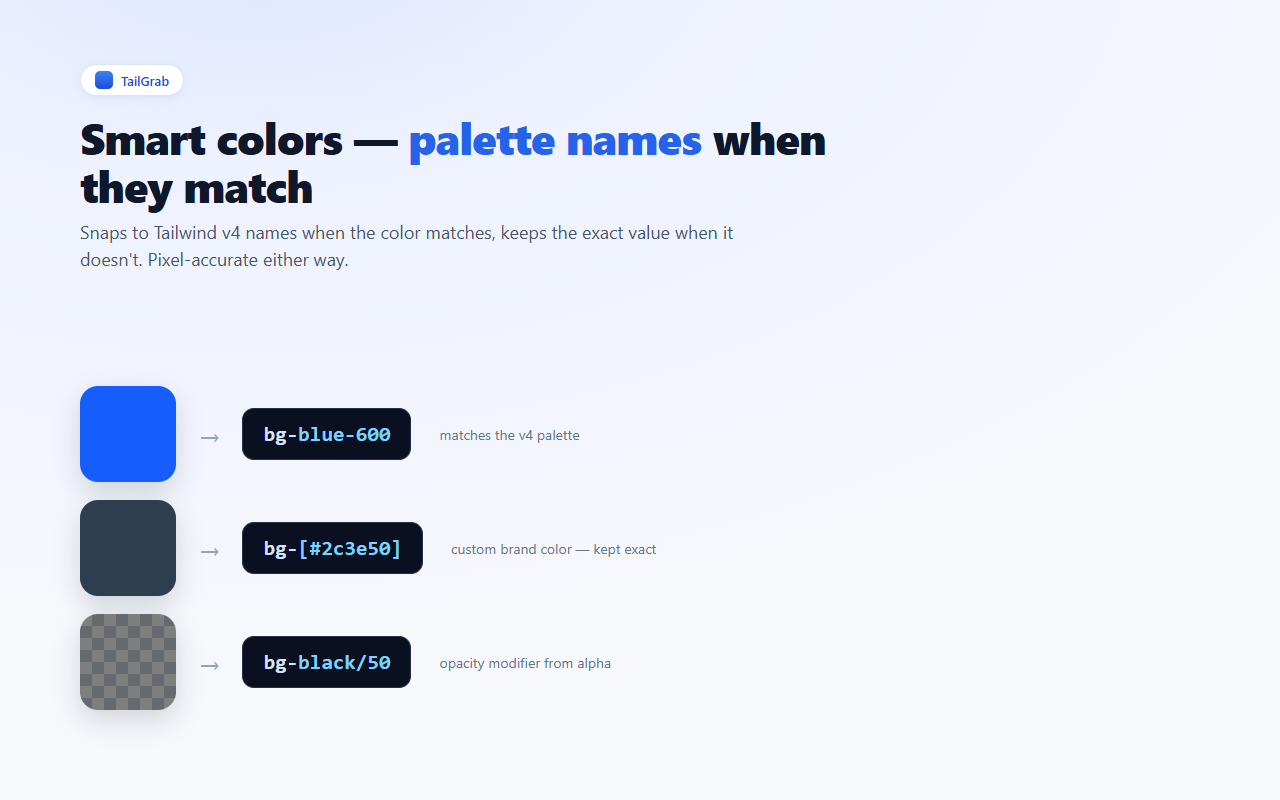
Snaps to palette names like blue-600 when they match, keeps the exact value when they don't.
Tailwind classes, HTML, or JSX (className) — one click.
Modern spacing scale and arbitrary values when the design needs them.
Pages are processed locally and never leave your browser. Runs only when you click.
TailGrab activates on the current tab — nowhere else.
Hover the page, then click what you want.
Tailwind, HTML, or JSX. Press Esc to stop.
One-time license, no subscription.
$79 once · no subscription · secure Paddle checkout
Not sure yet? Start free — 5 copies every day, no login. Upgrade only when you want unlimited copies, and even that's covered below.
🛡️ 30-day money-back guarantee — no questions asked. If Pro isn't right for you, email [email protected] with your Paddle receipt within 30 days and we'll refund every cent — no reason needed, no upsell call, a real human replies. Refund policy →
Team or agency? Talk to us about volume licenses.
An honest, privacy-first tool from an independent developer — every claim here is verifiable.
Built and maintained by Vietcodex, a solo developer shipping privacy-first browser extensions — ScriptDrag, AnswerGap and StepRecorder. No VC, no ads, no telemetry.
Requests only activeTab, scripting and storage — and no host permissions. TailGrab reads a page only on the tab where you click the icon. Check it yourself on the store listing.
Nothing about the pages you inspect ever leaves your browser. The only network call is a periodic license check for Pro — no analytics SDK, no remote code.
Kept working against Chrome browser updates and Tailwind changes. Pro includes lifetime updates. Last updated July 2026.
Checkout is handled by Paddle, our Merchant of Record — your card details never touch our servers and sales tax/VAT is handled for you. $79 once, no subscription.
Not right for you? Email [email protected] within 30 days — no questions, no reason needed. Refund policy →
Free to start — install, click the icon, and copy your first component.
Live on Chrome now — Edge & Firefox are on the way.
Already using TailGrab? Be one of the first to rate it on the store — it helps other developers find it, and we read every review.
Yes. The Free tier gives you 5 copies per day with full Tailwind, HTML and JSX output, whole-component conversion and palette mapping — no login. Pro ($79 one-time) removes the daily limit for unlimited copies, plus lifetime updates and 3 devices.
No. TailGrab is a browser extension with no sign-up. It runs on the current tab only when you click the icon.
No. Pages are processed locally in your browser and are never uploaded. The only network request TailGrab makes is a periodic license check for Pro — nothing about the pages you inspect is ever sent.
All three, one click each. You can copy just the Tailwind classes, the whole element as HTML, or as JSX with className. Children are converted too, nested and indented, ready to paste.
TailGrab keeps only the styles an element actually overrides instead of dumping every computed property, so you get markup you'd plausibly write by hand rather than pages of noise.
Yes. Output uses the Tailwind v4 spacing scale and reaches for arbitrary values only when the design needs them. Colors snap to palette names like blue-600 when they match and keep the exact value when they don't.
TailGrab is live now on the Chrome Web Store. Edge and Firefox versions are coming soon — see the install section above for the live store link.
Yes. Your Pro license activates on up to 3 devices. To move it to a new machine, email [email protected] with your Paddle receipt and we'll free up a seat.
Privacy-first browser extensions, each a one-time license.
New Tailwind versions, new output formats, and the occasional new Vietcodex tool. No newsletter padding.
About one email a month. No spam, no sharing — unsubscribe any time by replying. See our privacy policy.